Custom Wine Tote Mistakes: What Goes Wrong on a First Order
The biggest first-order mistakes on custom wine totes are choosing a format that does not match how bottles leave your hands, ignoring bottle fit, sending weak artwork and approving the mockup too fast. Customized Wine Totes returns a free mockup within 24 hours, so most of these problems can be caught and fixed before a single tote is printed.
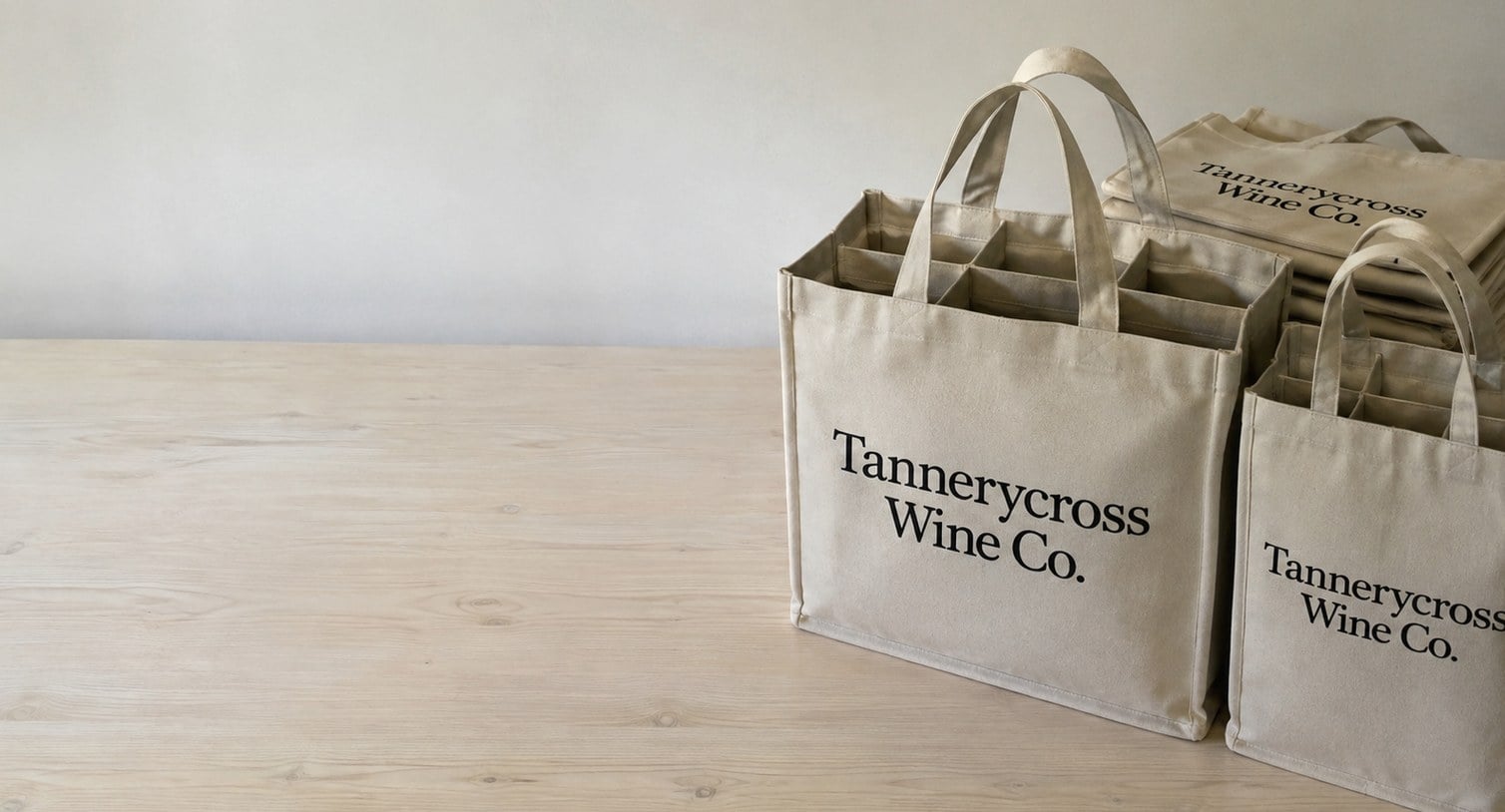
- Free mockup within 24 hours of your request
- Unlimited free revisions and nothing to pay until you approve
- Minimum order is 12 wine totes
- Standard turnaround is about 2 weeks after approval
- Name your bottle styles so dividers fit
What are the most common mistakes on a first custom wine tote order?
The most common first-order mistakes on custom wine totes are choosing the wrong format for the bottles you actually sell, sending low-resolution artwork, approving a mockup without checking placement, and ordering a single quantity for several different uses. Customized Wine Totes catches many of these at the mockup stage, but the fixes are easiest before you submit the quote request.
None of these mistakes are exotic. They happen because a first order is usually placed by one busy person who is juggling a release weekend, a gift list or an event, and the tote is one line on a long checklist. The good news is that each mistake has a simple check that takes minutes, not days.
Here are the eight mistakes this guide covers:
- Picking a format before counting bottles per customer or guest.
- Assuming every bottle shape fits a standard divider.
- Sending a logo pulled from a website or email signature.
- Placing the design where handles, folds or seams interrupt it.
- Choosing tote and print colors that fight each other.
- Approving the mockup without the right people looking at it.
- Ordering one quantity for retail, gifting and events combined.
- Forgetting spare dividers and storage space.
Why does the wrong tote format cause problems after delivery?
The wrong wine tote format causes problems because the tote has to match how many bottles people actually carry out the door. A tasting room that mostly sells two or three bottles per visit will find twelve-bottle case totes too bulky, while a wine club pickup day can overwhelm four-bottle tasting totes in the first hour.
Before choosing, look at how bottles leave your hands. Retail counters, club allocations, corporate gift boxes and wedding welcome bags each have a typical bottle count, and that count points to a format:
| Typical use | Format that usually fits | What to watch |
|---|---|---|
| Tasting-room purchases | Four-bottle tasting totes | Narrow panels limit logo size |
| Club pickups and mixed packs | Six-bottle divided wine totes | Handles carry real weight when full |
| Full-case sales and trade samples | Twelve-bottle case totes | Storage space before handout |
| Champagne and large-format gifts | Magnum and sparkling bottle totes | Wider bottles need wider cells |
| Events with limited storage | Collapsible flat-pack totes | Folding lines affect print placement |
If you serve more than one of these uses, split the order across formats rather than forcing one tote to do every job. Customized Wine Totes can quote several formats with the same approved artwork in one request.
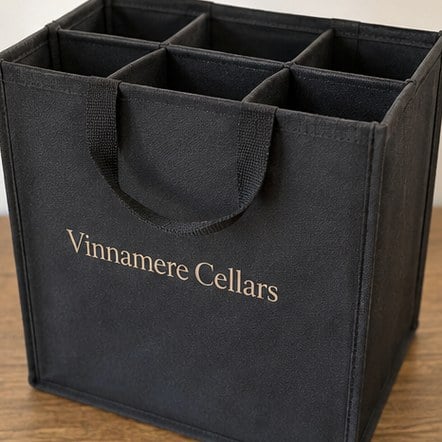
Will my bottles actually fit the dividers I ordered?
Your bottles will fit the dividers only if the cells are sized for the widest bottle you plan to carry, not the most common one. Standard dividers suit Bordeaux-style bottles, but sloped-shoulder Burgundy bottles, sparkling wine and magnums need wider cells or a dedicated sparkling format.
First-time buyers often order a single divided tote for a lineup that includes a sparkling wine, a Pinot Noir and a dessert wine, then discover the sparkling bottle wedges in or will not seat at all. A forced fit stresses the divider walls and the seams, and that is where tote failures start.
The simple fix is to tell Customized Wine Totes which bottles will go into the tote when you request a quote. Name the varieties or bottle styles, and mention any large formats. If the lineup is mixed, consider pairing six-bottle divided wine totes for still wines with a smaller run of magnum and sparkling bottle totes. And if you expect dividers to wear out over a season of heavy use, ask about removable divider inserts so you can replace the insert without replacing the tote.
What artwork mistakes ruin a custom wine tote print?
The artwork mistakes that ruin a custom wine tote print are low-resolution logos, missing vector files, tiny text and fine details that do not survive printing on fabric. A logo that looks sharp in an email signature can turn soft or jagged once it is enlarged across a tote panel.
Fabric is less forgiving than paper. Woven and non-woven tote materials have texture, so hairline strokes, small script fonts and thin outlines can break up. Gradients and photographic effects may also shift depending on the print method chosen for your tote.
Avoid these common file problems:
- Screenshots or website images: send the original vector file (AI, EPS, SVG or a vector PDF) whenever you have one.
- Fine print on a narrow panel: keep taglines and web addresses large enough to read at arm’s length.
- Unlisted brand colors: share your brand color references so the mockup can match them.
- Outdated logos: confirm with marketing that the file is the current version before submitting.
If you do not have a vector file, send the best version you have and say so. The free mockup within 24 hours shows exactly how the art will look before anything is printed.
How do placement and color choices go wrong on wine totes?
Placement and color choices go wrong on wine totes when the design ignores handles, side gussets, fold lines and the contrast between print and tote fabric. A centered logo can disappear under a handle strap, and a dark print on a dark tote can vanish in a dim tasting room or an evening event.
Wine totes are three-dimensional, so the front panel is not a flat sheet. Collapsible totes fold along set lines, divided totes have seams where dividers attach, and narrow four-bottle panels leave less room than buyers expect. The mockup shows where your art lands, but you still need to picture the tote in use: on a shoulder, on a counter, in a client’s hand.
For color, high contrast is safer than subtle tone-on-tone. Light print on a dark tote or dark print on a natural or light tote reads from across a room. If your brand uses a palette of soft colors, ask how they will appear on the specific tote fabric before approving.
When in doubt, simplify. One strong logo with plenty of open space usually looks more premium than a crowded panel with a logo, slogan, address and social handles.
Who should review the mockup before you approve production?
The mockup for custom wine totes should be reviewed by everyone who can stop or change the order: the person who owns the brand, the person paying for it and the person who will hand the totes out. Approving alone and then hearing objections after production is one of the costliest first-order mistakes.
Customized Wine Totes offers unlimited free revisions, and you pay nothing until you approve the design. That means there is no reason to rush approval, but there is a real reason to gather feedback quickly. Every day the mockup waits in an inbox comes out of your buffer before the event.
A practical review checklist:
- Logo version, spelling and colors are correct.
- Placement clears handles, seams and fold lines.
- Format and divider layout match your bottles.
- Quantity per format is final.
- The delivery address and in-hand date are confirmed.
Once these five points are signed off, approve the mockup. Standard turnaround is about 2 weeks after approval, and faster turnaround is available with express shipping if your date is close.
Why does ordering one quantity for every use backfire?
Ordering one quantity of wine totes for retail, gifting and events combined backfires because each use runs out at a different pace. Retail totes leave steadily, gift totes leave all at once, and event totes leave in bursts, so a single pooled stock usually runs dry for one use while another sits untouched.
Split your first order by job, even if the artwork is identical. Note how many totes each use needs and which format fits it best. Because the minimum order is 12, small test runs of a second format are easy to add without overbuying.
Also plan for spare parts. Dividers take the most wear on any wine tote, so ordering a few extra inserts with the first run keeps a favorite tote in service longer. Flat-pack and collapsible totes save shelf space between events, which matters when the order arrives weeks before you need it.
For large runs across several locations, the bulk custom wine totes guide explains how to stage deliveries and keep one approved design consistent across every site.
What should a first-time buyer send with the quote request?
A first-time buyer should send the format or formats, the quantity for each, the bottles that will go inside, the artwork file, preferred colors and the date the wine totes must be in hand. With those details, Customized Wine Totes can return an accurate mockup within 24 hours and flag any fit or placement issue before you approve.
The quote request is where most first-order mistakes are prevented. A short, complete request saves several rounds of back-and-forth and protects your timeline. Use the custom quote form and include:
- How the totes will be used: retail, club, gifts, events or trade.
- Bottle styles, especially sparkling, Burgundy or magnum sizes.
- Your best logo file and brand colors.
- Delivery address and in-hand date.
- Whether you want spare dividers or a flat-pack format.
You can read the full process on the how it works page. Nothing is charged until you approve the design, so a detailed request costs you nothing but a few minutes.
Frequently asked questions
Can I change the wine tote format after I see the mockup?
Wine tote formats can usually be changed after the first mockup because nothing goes into production until you approve the design. Tell Customized Wine Totes which format you want instead, such as moving from four-bottle to six-bottle totes, and a revised mockup follows. Revisions are free and unlimited, so switching early is far better than living with the wrong tote.
How do I check that a sparkling wine bottle will fit my divided wine totes?
Sparkling bottles are wider than most still wine bottles, so divided wine totes built for standard bottles may not seat them properly. Name every bottle style you plan to carry when you request a quote. Customized Wine Totes can then recommend magnum and sparkling bottle totes or wider cells instead of a tight fit that strains the divider.
What happens if my logo file is too low resolution for wine totes?
Wine totes printed from a low-resolution logo can look soft or jagged, especially when the art is enlarged across a panel. Send the best file you have and mention that it is not vector. The free mockup within 24 hours shows how the art will print, and the team can tell you whether a cleaner file is needed.
Should my website and phone number go on custom wine totes?
Custom wine totes usually look better with fewer elements, so adding a website and phone number is a judgment call. If contact details matter, keep them large enough to read at arm's length and away from handles and seams. Many wineries print only the logo and let the tote work as a quiet brand reminder.
Can I order wine totes in two colors with the same design?
Wine totes with the same design can often be ordered in more than one tote color, as long as the print color contrasts well with each fabric. Ask Customized Wine Totes for a mockup on every color you are considering, because a print that pops on a natural tote may fade on a dark one.
Why do some wine tote designs look different on the finished product than on screen?
Wine tote designs can look different in hand because fabric texture, tote color and print method all affect how ink appears. Screens are backlit and perfectly flat, while totes are textured and folded. Sharing brand color references and reviewing the mockup carefully keeps the finished totes as close as possible to what you approved.
Is a small first order of wine totes a smart way to avoid mistakes?
A small first order of wine totes is a sensible way to test a format, a color or a new design before committing to a larger run. Customized Wine Totes accepts orders from a minimum of 12, so a test batch is easy. Once the tote proves itself, reorder with the same approved artwork.
How can I avoid running out of wine totes before a busy weekend?
Wine totes run out early when one pooled stock serves retail, gifts and events at the same time. Set aside a separate count for each use and track how fast each one moves. Reorder well before the last case is opened, since standard turnaround is about 2 weeks after design approval at Customized Wine Totes.
Do collapsible wine totes need a different artwork layout?
Collapsible wine totes fold along set lines, so artwork that crosses a fold can crease or break visually when the tote is flattened. The mockup shows where folds fall, and Customized Wine Totes can adjust placement so your logo sits on a flat area. Simple, centered designs usually work best on flat-pack formats.
Who is responsible if a wine tote order has a spelling error?
Wine tote orders are printed exactly as the approved mockup shows, so checking spelling, taglines and dates before approval is the buyer's most important job. Ask a second person to read every word on the mockup. Because revisions are free and unlimited, catching a typo before approval costs nothing but a few minutes.
Should I tell the supplier how my wine totes will be handed out?
Wine totes are easier to get right when the supplier knows whether they will be handed across a counter, packed into gift boxes or stacked for an event table. Share that context in your quote request. Customized Wine Totes uses it to suggest a format, divider layout and storage-friendly option that fits the real handout.
Get a free mockup for your wine totes
Send your logo or idea and the quantity you have in mind. Customized Wine Totes returns a free mockup within 24 hours, you approve the design before anything is produced, and standard turnaround is about two weeks with faster options available. Get a custom quote.